|
Boson Screen Shots |
|
License Codes |
|
 |
|
Each Boson installation is
licensed via unlocking codes which are provided when the product is
licensed. Boson is a modular system. Depending on which modules are
selected, Ionware will issue different codes. The codes are simply
pasted into this dialogue to enable the system |
|
Install Handheld Software |
|
|
|
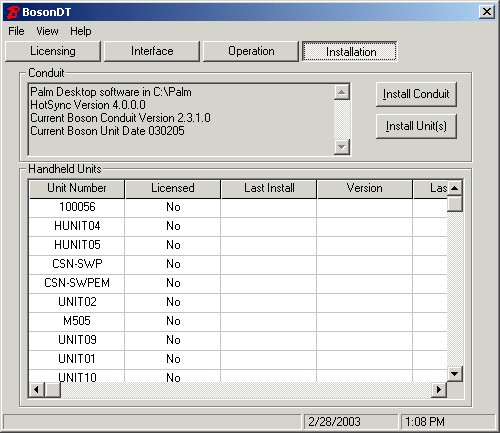
Each handheld can be selected
for installation. BosonDT makes installation of the handheld software
simple. |
|
Select Operational Options |
|
|
|
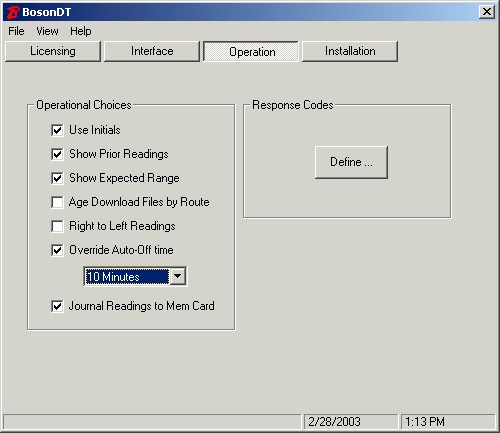
A feature of Boson is the
ability of the office to control the operation of the handhelds.
Using Hotsync software, each handheld is configured to operate in the
same fashion and cannot be changed by readers. |
|
Selecting a SQL (ODBC) Interface |
|
 |
|
Boson works with many utility
billing software systems. When used with an ODBC (SQL) source, the
choice of routes to read can be selected from the handheld. BosonDT
saves these parameters and for use during HotSync (data transfers). |
|
Selecting a Text File Interface |
|
 |
|
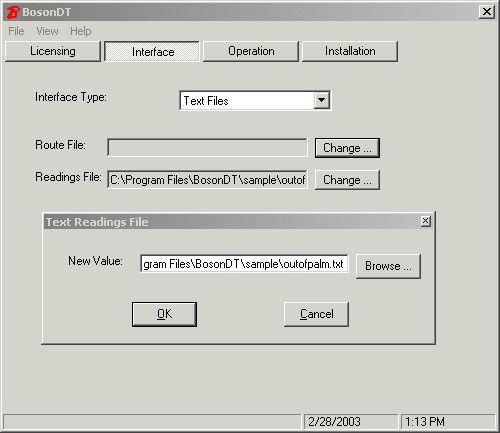
Boson also works with billing
software using flat text files. In this mode, the billing software
creates a route file at the location specified. The file may contain
multiple routes. After reading the routes, the handheld returns the
readings to the specified Readings Location. |
 Handheld Solutions
